HackRF FPV Band Monitor
active2026-06 · sdr · rf · fpv · android · kotlin · dsp
Finds active FPV video channels and control links with a HackRF One; desktop and Android.

What it is
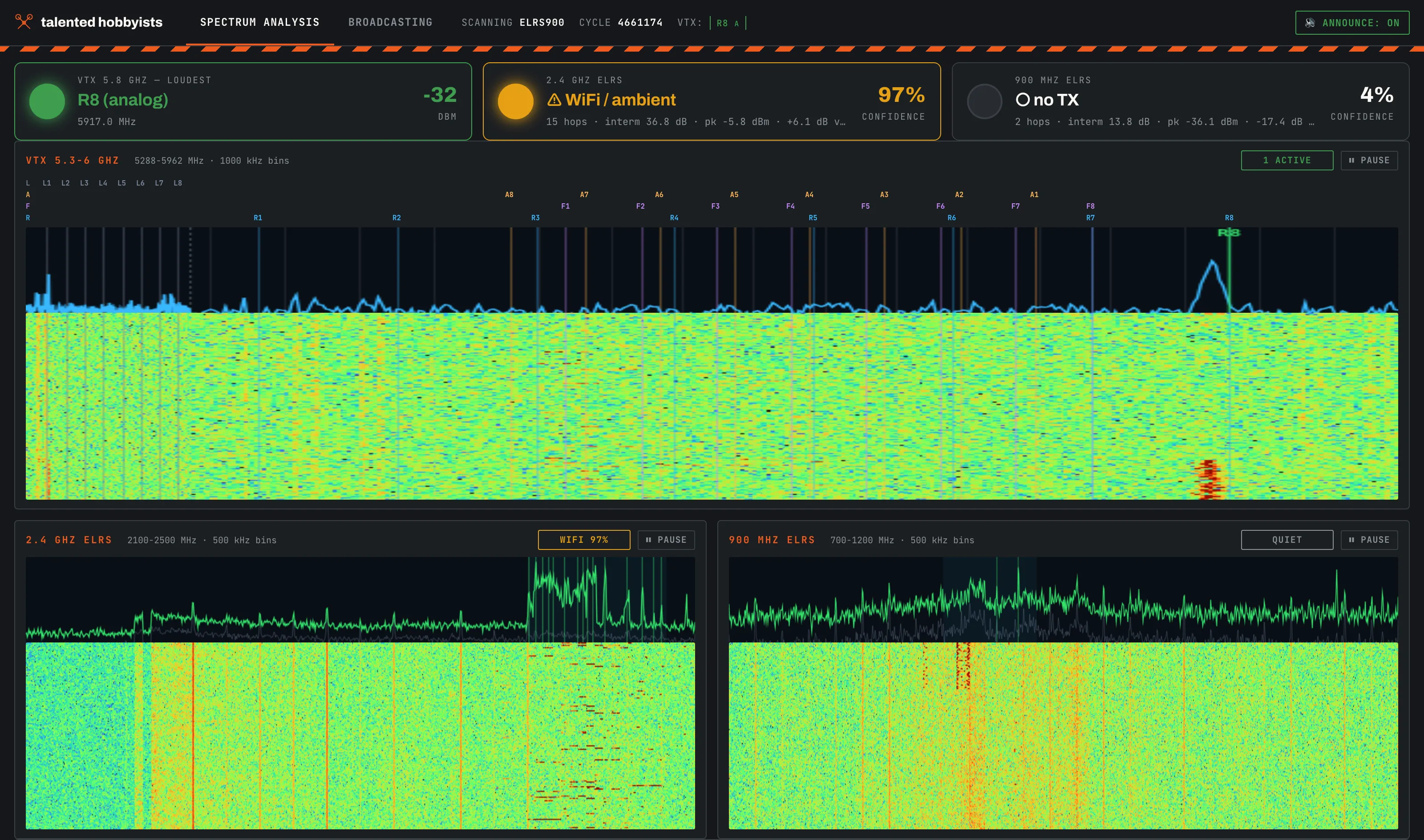
At a shared flying field, an FPV (first-person view) drone pilot who powers up on an occupied video channel blinds whoever is already flying on it. This project watches those bands with a HackRF One, a software-defined radio (SDR): it sweeps the 5.8 GHz video-transmitter (VTX) band and the 2.4 GHz / 900 MHz ExpressLRS (ELRS) control-link bands, then reports which of the 48 channels in the standard plan are active and whether a control transmitter is on the air. It exists twice: a Python desktop tool with a web dashboard, and a native Android app that drives the radio over USB (Universal Serial Bus) On-The-Go (OTG).
Why it exists
A HackRF One was already on the bench, and “is this channel actually clear?” is the question every FPV session starts with. The Android port followed two weeks later so the answer fits in a pocket instead of needing a laptop.
What it does today
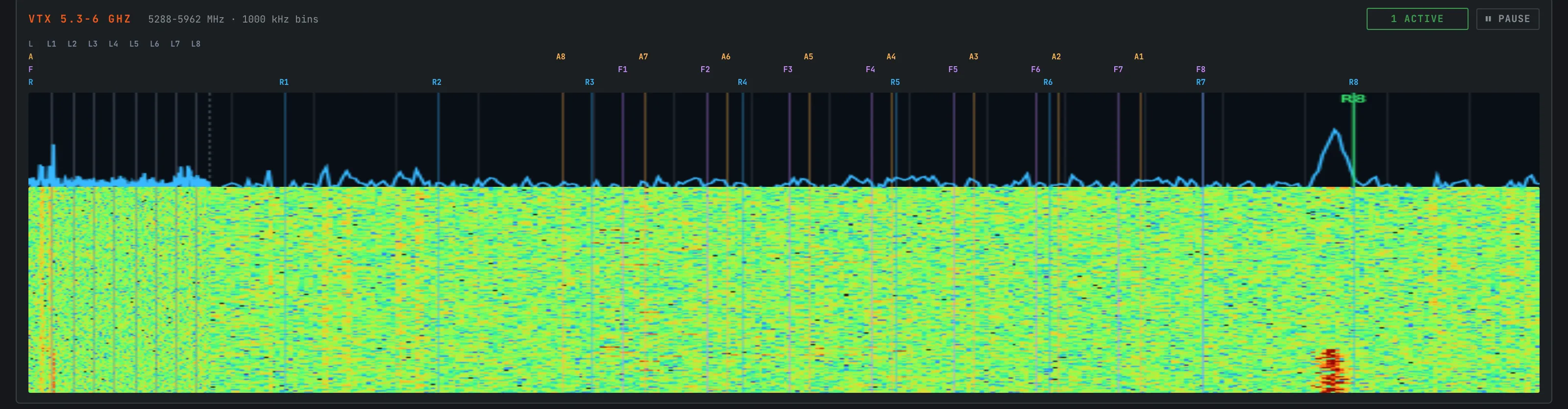
- Sweeps 5288–5962 MHz and maps energy onto the 48-channel VTX plan (bands L, A, B, E, F, R — eight channels each). Classifies each signal as analog or digital video by width and spectral shape (digital: ≥12 MHz wide with a flat top).
- Ignores blips: each channel runs a Kalman filter plus an occupancy gate, so activation takes roughly 12 dB above the noise floor with sustained on-air presence — a transmitter, not a spur.
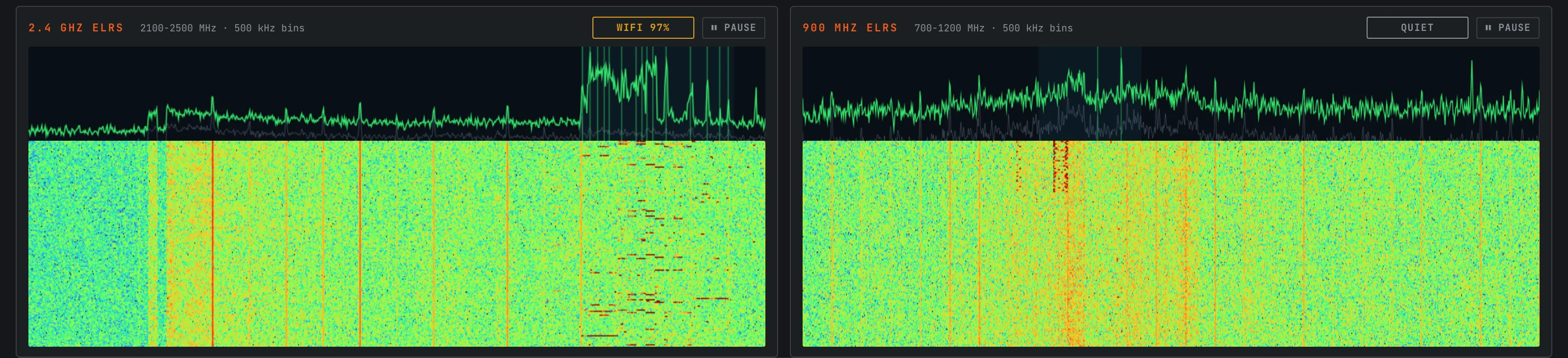
- Detects ExpressLRS control links by their hop signature — narrow (≤2.6 MHz) peaks flashing across the band — with an ambient-calibration step so ordinary 2.4 GHz WiFi is not misread as a link. Verdicts: transmitter active, ambient, weak, quiet.
- The Android app runs the HackRF’s firmware sweep mode over USB OTG at about 5 sweeps per second: waterfall and spectrum trace with the channel plan overlaid, a fullscreen landscape view, and local notifications when a channel goes active.
- The app is offline by construction: it declares no INTERNET permission, so Android itself enforces that nothing leaves the phone.
- The desktop dashboard adds a voice announcer (browser speech synthesis calls out a newly detected channel and whether it looks analog or digital) and a guarded test-signal generator that fakes an analog carrier on a chosen channel to exercise the detector — transmit is interlocked behind an explicit acknowledgment flag, since going on-air in these bands generally requires a license.
Under the hood
The Android side re-implements the HackRF USB protocol in Kotlin directly from libhackrf semantics — no native code, no vendored C — and feeds interleaved quarter-band FFTs (fast Fourier transforms) from the device’s sweep stream into the same channel trackers as the Python version, ported line for line. Kotlin with Jetpack Compose for the app; Python with a small web dashboard on the desktop.
Try it
The desktop monitor is public. Short version: clone the repo, install the
HackRF tools (brew install hackrf / apt install hackrf), make a Python
virtualenv, pip install -r requirements.txt, plug in a HackRF One, run
python -m hackrf_api webapp, open http://127.0.0.1:8080/. Two full
walkthroughs live in the repo:
- INSTALL.md — step-by-step for a person, including how to verify detection without transmitting anything.
- CLAUDE_SETUP.md — the same setup written as a runbook a Claude Code instance can execute: point one at the repo and say “read CLAUDE_SETUP.md and follow it”.
The Android app ships as a debug-signed sideload build: hackrf-monitor-v1.0-debug.apk (22.8 MB, 22,761,980 bytes). Android will ask you to allow installs from whichever browser or file manager you open it with — that prompt is normal for any app outside the Play Store. You need a HackRF One and a USB-C OTG adapter; plug the radio in and the app starts on its own. Tested on one Samsung phone. The app declares no INTERNET permission, so it cannot send anything off the phone. SHA-256 of the file:
159d0e4e459369926a9cf6bfe79b47c79f014b26d037ab74f558335cf383a055 hackrf-monitor-v1.0-debug.apkState & direction
- The desktop monitor’s repo is public (link above);
mainis the HackRF-only tool as described on this page. - A second radio backend — bladeRF 2.0 micro xA4 (61.44 MHz-wide hops,
12-bit) — is in progress on the
bladerf-halbranch behind the same device layer: per-hop gain ranging, fastlock retunes, split VTX schedule. One receiver-artifact fix is still bench-unverified, so it is not merged. - Working end to end on one phone (a Samsung flagship over USB-C OTG): sweep, detection, channel overlays, notifications, auto-start on plug-in.
- The ELRS detectors still use bench-recorded ambient baselines; on-site recalibration is the next field task.
- The Android app ships as a debug-signed sideload APK (Android application package; link above). Play-style release signing is not set up.