Claude Projects Launcher
active2026-07 · macos · claude-code · automation · developer-tools · svg
Desktop icons that reopen each project's Claude Code session where it left off.
What it is
Hobby projects go quiet for weeks, and coming back means re-explaining everything to your tools. This is a macOS launcher: a Desktop folder with one double-clickable app per project. Each icon opens a Terminal window where Claude Code resumes that project’s most recent conversation, and a hook system forces a dated journal so project state survives gaps and machine switches.
Why it exists
Restarting a project that sat idle for a month cost more than the work itself. The fix worth having was one double-click that lands mid-conversation.
What it does today
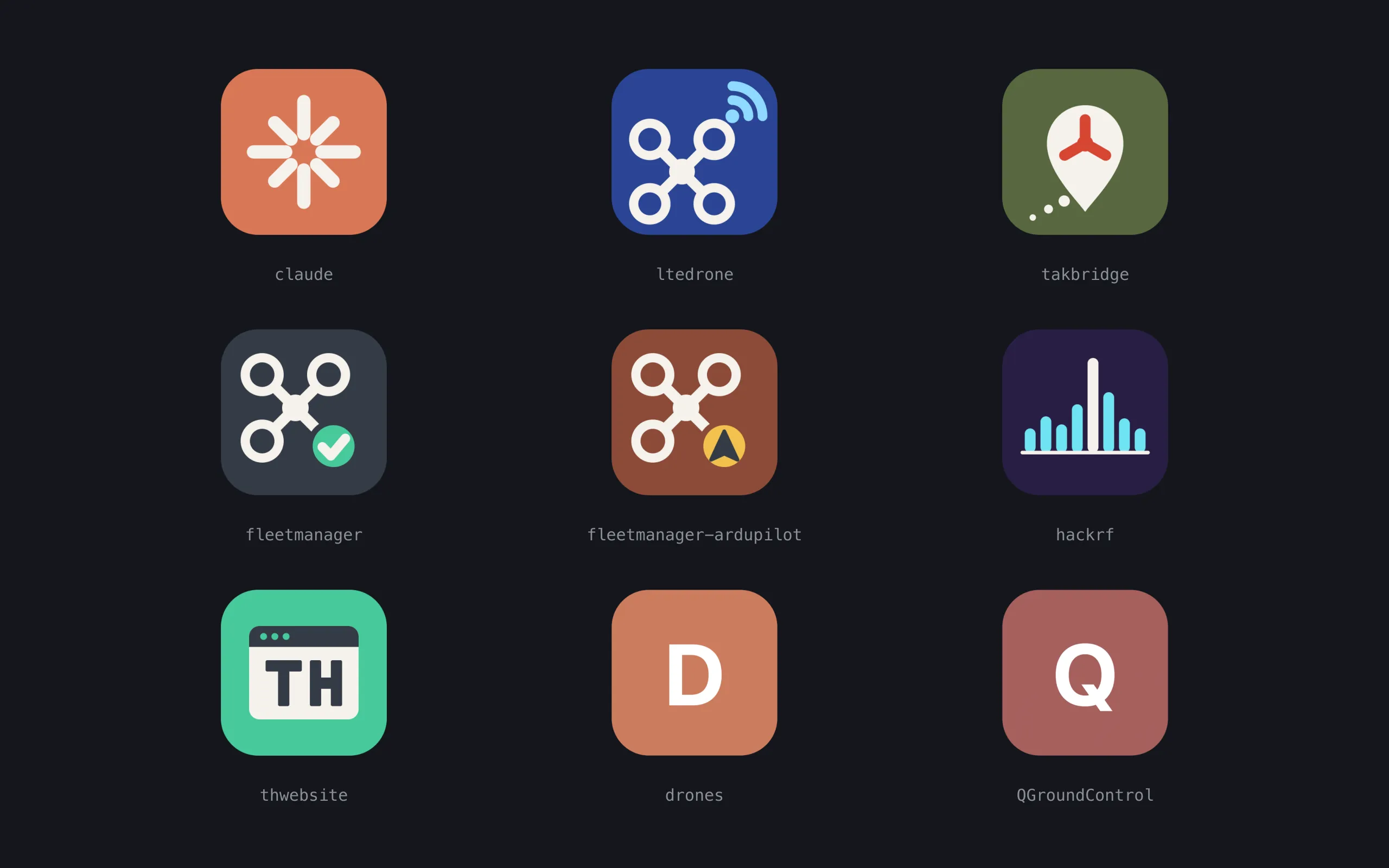
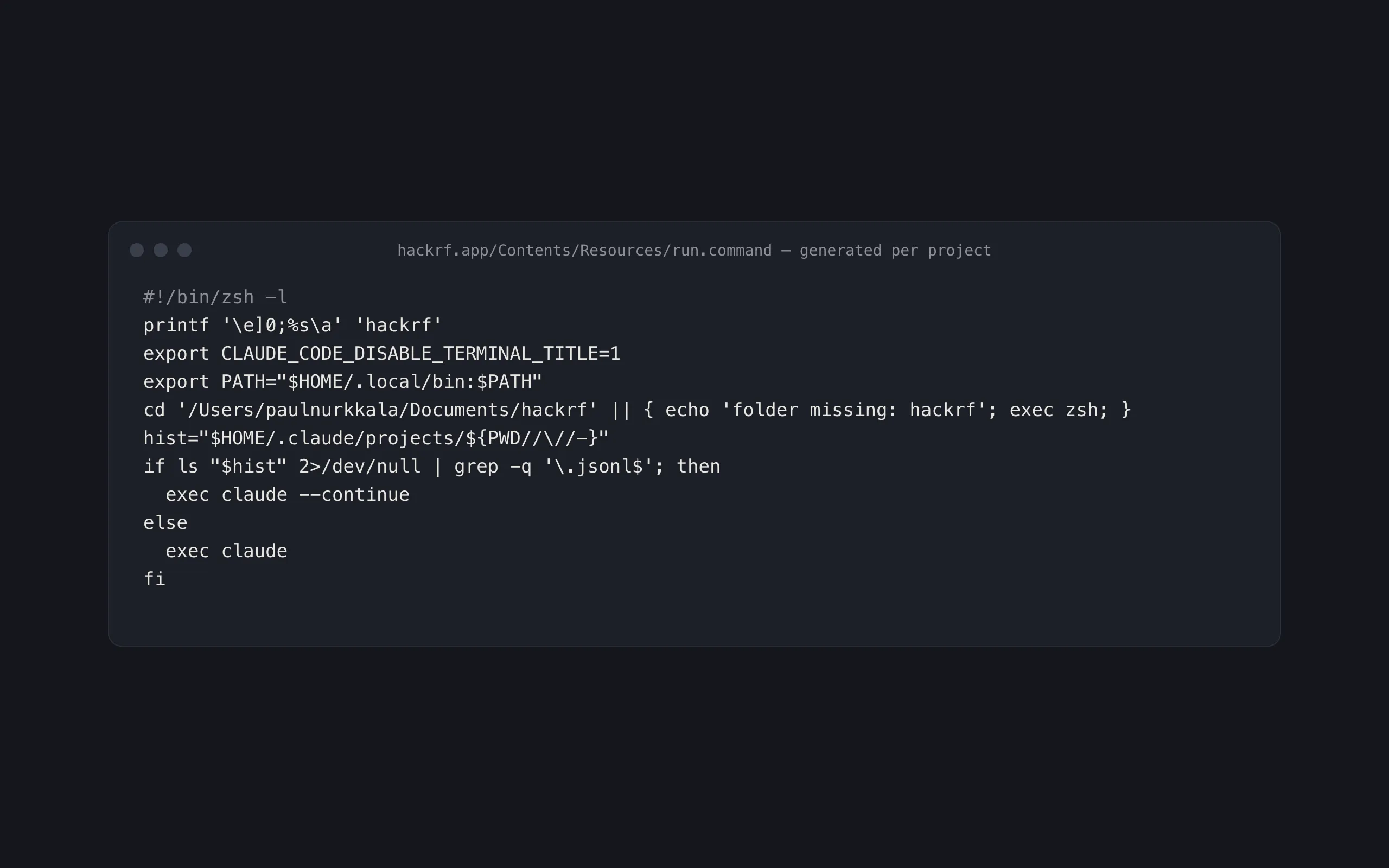
- Generates one macOS app bundle per folder in
~/Documents— 11 right now, plus a “Rebuild launchers” app. Double-click resumes the project’s latest Claude Code conversation, or starts fresh if it has none. - Per-project icons drawn as SVG (Scalable Vector Graphics) sources; 7 projects have custom marks, the rest get a generated tile (initial on a color hashed from the project name).
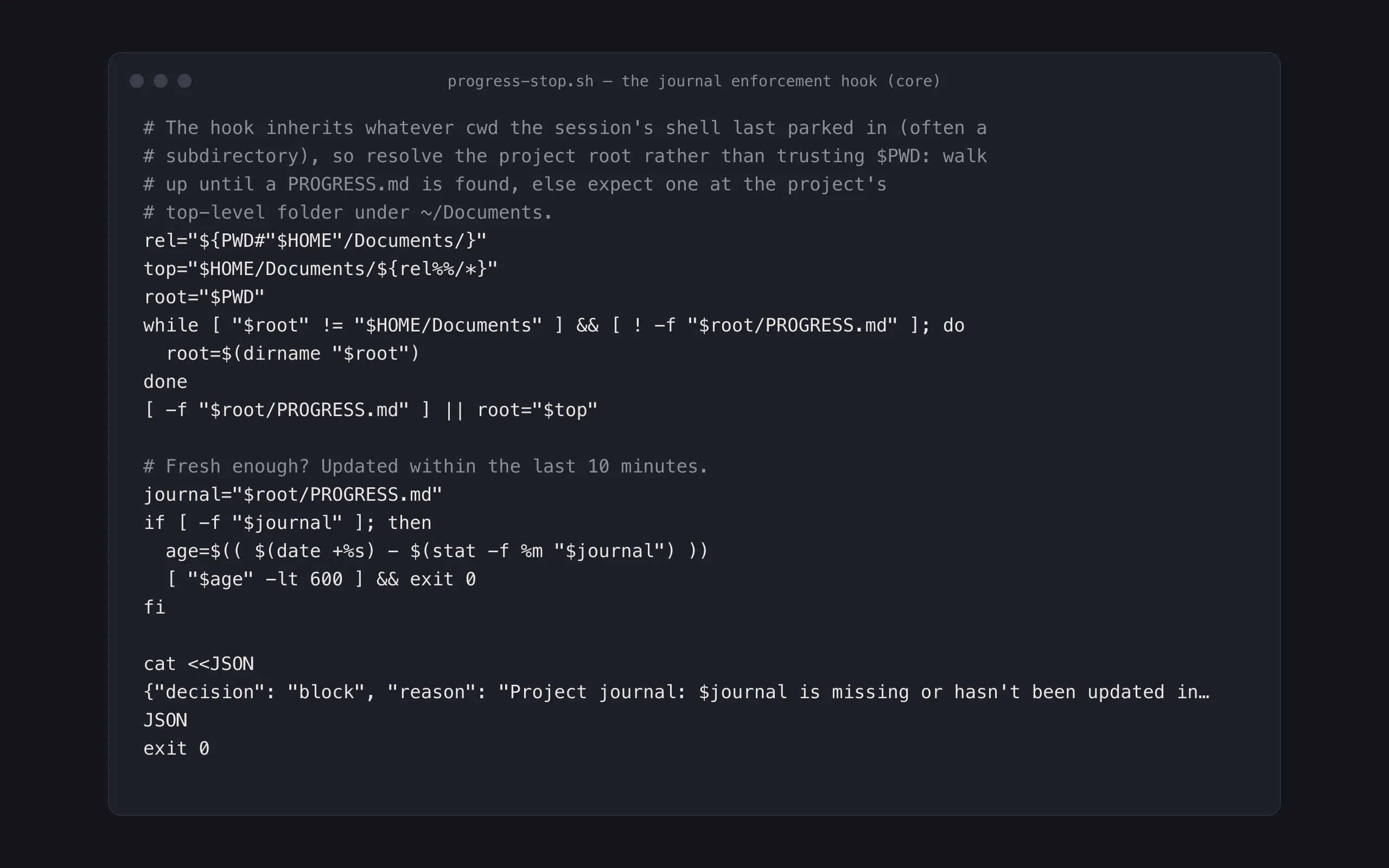
- A stop hook blocks Claude Code from ending a turn in any project whose
PROGRESS.mdjournal is missing or more than 10 minutes stale; a prompt hook injects a per-turn reminder to keep journaling as work happens. - Session transcripts are kept 10 years instead of the 30-day default. Windows are titled by project; sessions open in auto-accept-edits permission mode.
install.pyreplicates the full setup on a new machine — hooks, settings merge, journal seeding, launcher build — and is safe to rerun after every pull.
Under the hood
One Python 3 standard-library script writes the app bundles: a property
list, a shell trampoline, and a .command file handed to Terminal, which
sidesteps macOS automation permission prompts entirely. Icons render
through librsvg and iconutil; the hooks are plain bash reading JSON on
standard input.
State & direction
- In daily use on one machine; the second-machine install path exists but hasn’t been exercised on real second hardware yet.
- Known limit: conversation history and memory are per-machine. The enforced journal is the cross-machine state, which is why it’s enforced.
- No roadmap beyond drawing icons for new projects as they appear.